

The official way to play Five Nights at Freddy’s 2 on PC is the Steam version for Windows. It costs a few dollars, runs on almost any computer made in the last fifteen years, and installs in under a minute. Browser and “FNAF 2 HTML” versions do exist, but none of them are official. This guide covers every way to play, how to set the game up, and how to get through the nights once you’re in the office.
The short answer: where FNAF 2 lives on PC
Five Nights at Freddy’s 2 was released on PC first. Mobile and console versions came later. On a computer you have one official storefront and a few workarounds for machines that aren’t running Windows.
| Way to play | Official? | Works on | Our verdict |
|---|---|---|---|
| Steam (Windows build) | Yes | Windows PCs and laptops | The best option. Cheap, stable, gets saves right |
| Steam via Proton | Yes (Windows build run through Valve’s compatibility layer) | Steam Deck, Linux | Plays well in our experience |
| Windows virtual machine or CrossOver | Yes (the game is official, the method is a workaround) | Mac | Works, but it’s fiddly for a game this small |
| Browser “FNAF 2 HTML” / unblocked sites | No | Any browser | Skip it. Unofficial copies, heavy ads, no guarantees |
If you have a Windows PC, buy it on Steam and stop reading here. If you don’t, the sections below cover your options.
What FNAF 2 actually is
Five Nights at Freddy’s 2 is a point-and-click survival horror game from Scott Cawthon, the solo developer who created the whole series. He built it in Clickteam Fusion 2.5, the same engine he used for the first game. FNAF 2 launched on Steam on November 10, 2014, only about three months after the original. That speed made the “a new FNAF every few months” era a running joke in the fandom.
You play a night security guard at a new, rebooted Freddy Fazbear’s Pizza. This location has shiny “Toy” animatronics with facial recognition and a criminal database. They’re meant to be safer. They aren’t. The battered original animatronics are also stored in a back room, and they still move around.
The big design change from the first game: your office has no doors. You can’t slam anything shut. You survive with a flashlight, an empty Freddy Fazbear head you wear as a disguise, and a security camera system. It’s harder and busier than FNAF 1, and many fans still rate it the most stressful entry in the series.
Publisher and development
Scott Cawthon self-published the PC version. The mobile versions on Android and iOS followed within days of the Steam launch. The PlayStation 4, Xbox One and Nintendo Switch ports arrived in late November 2019 and were handled by Clickteam. Cawthon announced his retirement from public game development in 2021. The newer entries come from studios such as Steel Wool Studios, but FNAF 2 itself is still his game, and the Steam build is the one he released.
| Platform | Release | Notes |
|---|---|---|
| Windows (Steam) | November 10, 2014 | The original release |
| Android | November 2014 | Touch controls, ported by Clickteam |
| iOS | November 2014 | Touch controls |
| PS4, Xbox One, Switch | November 29, 2019 | Clickteam ports with optional cheat toggles |
The console versions added a few cheat options in the menu, such as faster nights. The PC version doesn’t have these menu cheats. You get the game exactly as it launched.
How to buy and install FNAF 2 on Steam
This is the route we recommend for nearly everyone. The Steam listing is titled “Five Nights at Freddy’s 2.” In the US it usually costs $7.99, and it often drops below that during Steam sales and the series’ anniversary promotions. Regional prices vary, so check the store page in your currency.
- Install Steam. Download the Steam client from Valve’s official website and create a free account.
- Search the store. Type “Five Nights at Freddy’s 2” into the Steam search bar. The developer listed is Scott Cawthon. If you see a different developer name, you’re looking at a fan game.
- Buy it. Add it to your cart and check out. Steam keeps the game on your account permanently, so you can reinstall it on any PC later.
- Install. Open your Library, select the game and click Install. The download is tiny, so it finishes almost immediately on a normal connection.
- Launch. Hit Play. The game opens fullscreen to the title screen with Toy Freddy staring at you.
One small but useful detail: Steam handles your saves locally, so your night progress and stars stay put between sessions. You don’t have to replay Night 1 every time you boot up.
System requirements
FNAF 2 asks for very little. It’s essentially a slideshow of prerendered images with sound, so any working Windows machine can handle it. The store page lists these requirements:
| Component | Steam store listing | What that means in practice |
|---|---|---|
| Operating system | Windows XP, Vista, 7, 8 | Also runs on Windows 10 and 11 |
| Processor | 2 GHz Intel Pentium 4 or AMD Athlon equivalent | Any CPU from the last 15 years |
| Memory | 2 GB RAM | Cheap school laptops are fine |
| Graphics | 1 GB | Integrated graphics are enough |
| Storage | 250 MB | Smaller than most phone apps |
The store page only names older versions of Windows because those were current in 2014. We’ve played it on Windows 10 and 11 without issues.
Fixes for common PC problems
Most players never hit a problem. If you do, these are the usual ones:
- Game won’t launch or crashes on start. Right-click the game in your Steam Library, go to Properties, then Installed Files, and choose “Verify integrity of game files.” This repairs anything that downloaded badly.
- Black screen on a multi-monitor setup. Set your main display as the primary monitor in Windows display settings, then relaunch. Older Clickteam games sometimes open on the wrong screen.
- Stretched or blurry image. The game was designed for a 16:9 widescreen. If your monitor uses an unusual ratio, set your GPU’s scaling to preserve aspect ratio.
- Audio crackle. Close other programs that are using audio, such as browser tabs playing video. Sound cues matter in FNAF 2, so it’s worth fixing.
Playing FNAF 2 on Steam Deck, Linux, Mac and Chromebook
Steam doesn’t sell a native macOS or Linux version of Five Nights at Freddy’s 2. You can still play it on those machines.
Steam Deck and Linux. Valve’s Proton compatibility layer runs the Windows build. On a Steam Deck, install it from your Library as normal. Steam will pick a Proton version automatically. Check the compatibility badge on the store page for the current rating. The game is mouse-driven, so on a Deck you’ll want the trackpad set up as a mouse. Most community controller layouts already do this.
Mac. You have two realistic choices. The first is to run Windows in a virtual machine with Parallels Desktop and install Steam inside it. The second is to use CodeWeavers’ CrossOver, a paid Wine-based tool that runs many Windows games without a full copy of Windows. Both work for a game this light. Both also cost more than FNAF 2 itself, so they only make sense if you already own them or plan to play other Windows games.
Chromebook. If your Chromebook supports Android apps, the Google Play version runs fine with touch or a trackpad. This is the official mobile port, so it’s the safe pick over any browser copy.
About “FNAF 2 HTML” and unblocked browser versions
Search “fnaf 2 html” and you’ll find dozens of sites claiming you can play Five Nights at Freddy’s 2 online for free in your browser. Many are aimed at school Chromebooks with “unblocked” in the name.
Here’s the honest situation. Scott Cawthon never released an official browser version of FNAF 2. Every web version you find is an unofficial rehost or a fan recreation. Some are close copies of the real game. Others are rough remakes with missing sounds, broken mechanics or extra ads layered over the cameras.
We don’t recommend these, and we don’t point readers to them, for a few reasons:
- Ads and redirects. Free games sites often make money from aggressive ad networks. Pop-ups and fake “download” buttons are common, and some lead to software you don’t want.
- No saves you can trust. Browser saves vanish when cookies clear. Losing Night 5 progress to a cleared cache hurts.
- It doesn’t pay the creator. The Steam version costs about the same as a snack. That money supports the people who made the series.
- It’s often not the real game. If your first experience of FNAF 2 is a buggy remake, you’ll think the game is worse than it is.
If you’re on a device that can’t run Steam, the official Android or iOS version is the better “play anywhere” option.
How to play FNAF 2: controls and the core loop
The rules are simple. Doing everything at once is the hard part. Each night runs from 12 AM to 6 AM, and each in-game hour lasts roughly a minute and a half of real time. Survive until 6 AM and you win the night.
Your tools
- The camera monitor. Hover over the bar at the bottom right of the screen to pull it up. There are twelve cameras, and you’ll mostly use them to track animatronics and wind the music box.
- The Freddy mask. Hover over the bar at the bottom left to put on the empty Freddy head. Most animatronics will leave if they see you wearing it. You can’t use the cameras while the mask is on.
- The flashlight. Click and hold the flashlight button, or hold Ctrl on PC, to shine it down the main hallway. The battery is limited and doesn’t recharge during a night.
- The vent lights. Buttons on the left and right sides of the office light up the two air vents beside you. Check these often.
- The music box. On Camera 11, the Prize Corner, hold the “wind up” button to keep a music box playing. If it runs down, the Puppet comes for you, and nothing stops it.
The animatronics and how to deal with each one
This is the cheat sheet you’ll want open on a second screen for your first few nights.
| Animatronic | Group | Where it comes from | How to stop it |
|---|---|---|---|
| Toy Freddy | Toy | Main hallway | Freddy mask |
| Toy Bonnie | Toy | Air vent | Freddy mask |
| Toy Chica | Toy | Air vent | Freddy mask |
| Mangle | Toy | Air vent / ceiling | Freddy mask |
| Balloon Boy | Toy | Air vent | Freddy mask. He also disables your flashlight once inside |
| The Puppet | Other | Prize Corner | Keep the music box wound. The mask does nothing |
| Withered Freddy | Withered | Main hallway | Freddy mask |
| Withered Bonnie | Withered | Main hallway | Freddy mask |
| Withered Chica | Withered | Main hallway | Freddy mask |
| Withered Foxy | Withered | Main hallway | Flash the light at him repeatedly. The mask does nothing |
| Golden Freddy | Other | Hallway or office | Put on the mask or raise the monitor quickly |
The pattern is easy to learn: almost everything is beaten by the mask. The two exceptions, Foxy and the Puppet, kill most new players. Foxy ignores your disguise. The Puppet ignores everything except the music.
Tips and tricks for surviving FNAF 2
We’ve lost more nights to FNAF 2 than to any other game in the series. These habits are what finally got us through Night 6.
Wind the music box every time you open the cameras. Make it automatic. Open monitor, jump to Camera 11, give it a short wind, check one other camera, close monitor. Don’t fill it all the way in one go while ignoring the office.
Check the hallway and vents every time you lower the monitor. A quick flash down the hall and a tap on each vent light takes about two seconds. That rhythm keeps you ahead of almost everything.
Mask first, look second. When you drop the monitor and hear the office lights flicker, or you see something standing in the room, put the mask on immediately. Hold it until the lights stop flickering and the figure leaves. If you lower the monitor and look around first, you’re already dead.
Short flashlight bursts for Foxy. Withered Foxy appears at the end of the hallway. Flick the light on and off several times in quick succession instead of holding it. Short bursts save battery and still push him back.
Listen. Footsteps, vent banging and the music box melody all tell you what’s happening without spending flashlight battery or camera time. Play with headphones. This game is built around sound.
Don’t panic-spam the mask. Putting the mask on and off constantly wastes time you need for the music box. Wear it when something is actually in the office or vent opening, and not as a reflex.
Balloon Boy is a flashlight thief, not a killer. If BB gets into your office, he doesn’t jump-scare you directly. He disables your flashlight, which leaves you blind to Foxy. Mask him while he’s still in the vent so he never gets inside.
Accept that Night 5 and Night 6 are about routine. By the late nights, everything is active at once. Players who win aren’t reacting faster. They’re running the same loop over and over without breaking it.
Custom Night, the stars and the 20/20 challenge
After you beat Night 6, you unlock Night 7, the Custom Night. You set each of the ten animatronics’ AI from 0 to 20 and play under your own rules. There are also preset challenges with names like “Old Friends” and “Ladies Night.”
The title screen awards you stars for your achievements:
| Star | How to earn it |
|---|---|
| First star | Beat Night 5 |
| Second star | Beat Night 6 |
| Third star | Beat the Custom Night with every animatronic set to 20 |
That last one, the “10/20 mode,” is one of the hardest challenges in early FNAF. It demands a near-perfect loop for the entire night, and on most attempts it ends in failure. If you get it on Steam, you’ve earned the bragging rights.
Spoiler warning
The section below spoils FNAF 2’s big story reveal and what the hidden mini-games show.
The story FNAF 2 sets up
The paycheck you receive after Night 5 is dated 1987. That date turns the game into a prequel to the original Five Nights at Freddy’s, where the old Freddy’s location was still running. That one detail rewrote how fans read the whole series. The phone calls hint that the new restaurant is being shut down because of something called “the bite.”
After you die, short Atari-style minigames can trigger. These include “Give Gifts, Give Life,” where the Puppet hands gifts to dead children, and “SAVE THEM,” which shows the purple man and a series of murdered kids. The minigames are where FNAF 2 started weaving the series’ child-murder backstory into the gameplay. They’re the reason the lore community exploded around this entry. If you play the main nights, you’ll naturally stumble into a few of them. Don’t hunt them all on your first playthrough. The jolt of seeing one unprompted is part of the experience.
Where FNAF 2 sits in the series
New players often ask whether they need to play FNAF 1 first. You don’t need to for the mechanics, but the prequel reveal lands harder if you have. Here’s the main-series release order, so you can line up the next one:
| Game | Year | Developer | Where to play on PC |
|---|---|---|---|
| Five Nights at Freddy’s | 2014 | Scott Cawthon | Steam |
| Five Nights at Freddy’s 2 | 2014 | Scott Cawthon | Steam |
| Five Nights at Freddy’s 3 | 2015 | Scott Cawthon | Steam |
| Five Nights at Freddy’s 4 | 2015 | Scott Cawthon | Steam |
| Sister Location | 2016 | Scott Cawthon | Steam |
| Freddy Fazbear’s Pizzeria Simulator | 2017 | Scott Cawthon | Steam (free) |
| Ultimate Custom Night | 2018 | Scott Cawthon | Steam (free) |
| Help Wanted | 2019 | Steel Wool Studios | Steam (VR and flat) |
| Security Breach | 2021 | Steel Wool Studios | Steam, Epic Games Store |
| Help Wanted 2 | 2023 | Steel Wool Studios | Steam (VR) |
| Into the Pit | 2024 | Mega Cat Studios | Steam |
| Secret of the Mimic | 2025 | Steel Wool Studios | Steam |
The story order is a lore argument we’ll save for another day. For a first run, release order works fine, and it lets you see how the series’ mechanics evolved from the door buttons in FNAF 1 to the mask in FNAF 2.
Games like FNAF 2 to play next
Once you’ve earned your stars, these are the picks we’d give a friend who loved the camera-checking panic of FNAF 2. All three run on PC, and none requires a powerful rig.
| Game | Year | Developer | Subgenre | Scare level | Where to play |
|---|---|---|---|---|---|
| Ultimate Custom Night | 2018 | Scott Cawthon | Survival / office | 4/5 | Steam (free) |
| Poppy Playtime: Chapter 1 | 2021 | Mob Entertainment | Mascot horror / puzzle | 3/5 | Steam (free) |
| Iron Lung | 2022 | David Szymanski | Claustrophobic sim horror | 4/5 | Steam |
Ultimate Custom Night
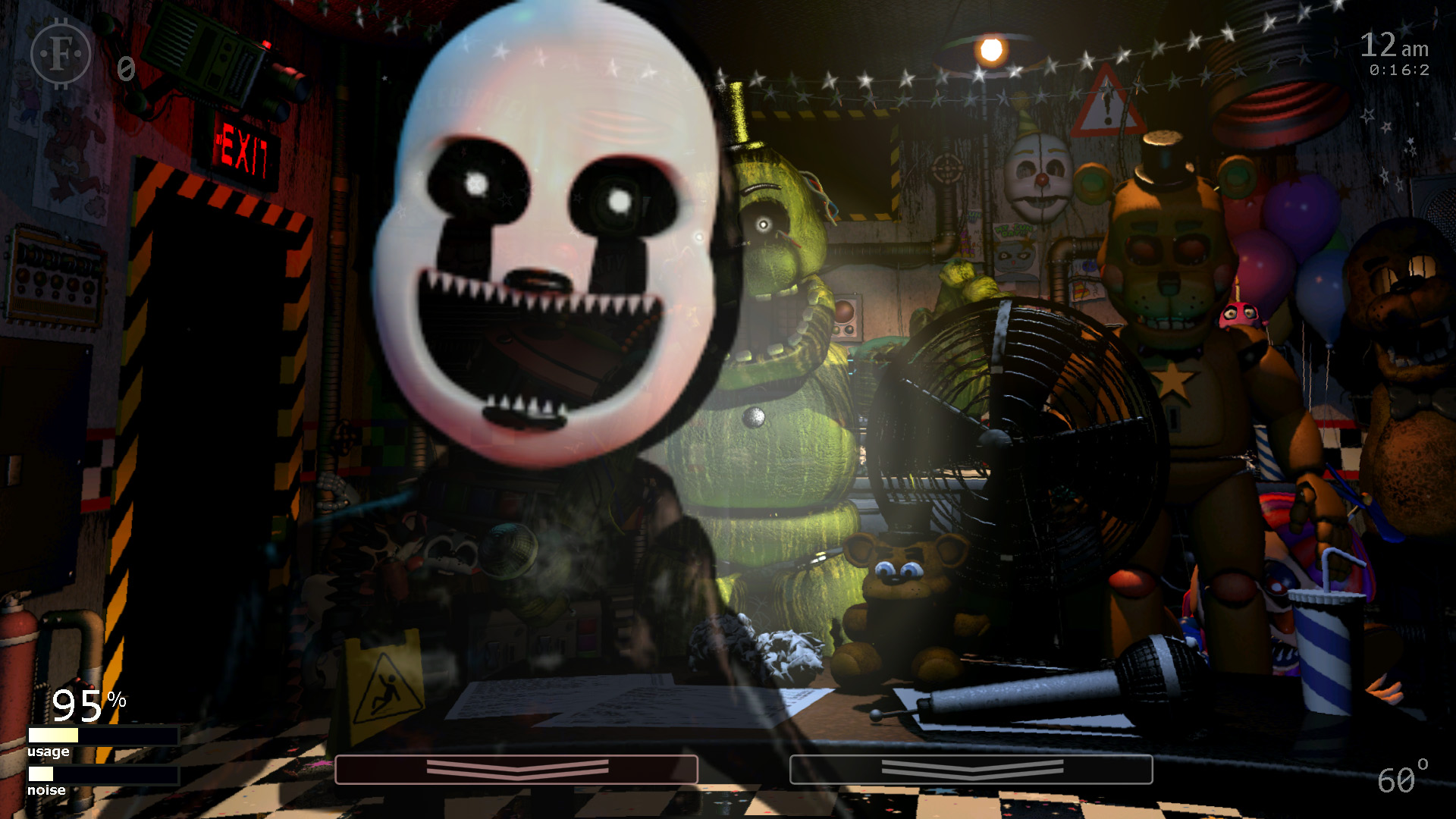
If the Custom Night was your favourite part of FNAF 2, Ultimate Custom Night takes that idea and gives you about fifty animatronics from across the series. You set the difficulty, pick your office and juggle doors, vents, heaters and music boxes all at once. It’s free on Steam, and it’s Scott Cawthon’s own love letter to the format.
It’s also brutal. Start with a few characters at low AI levels and build up. It’s the perfect next step if you’re chasing harder challenges and don’t want a new story.
Poppy Playtime: Chapter 1
Poppy Playtime moves the haunted mascot idea from a pizzeria to an abandoned toy factory. Instead of sitting in one office, you explore in first person. The first chapter is short, free on Steam, and introduces Huggy Wuggy, who gave a generation of kids nightmares. It suits younger FNAF fans and anyone who wants mascot horror with more movement and less micromanagement.
Iron Lung
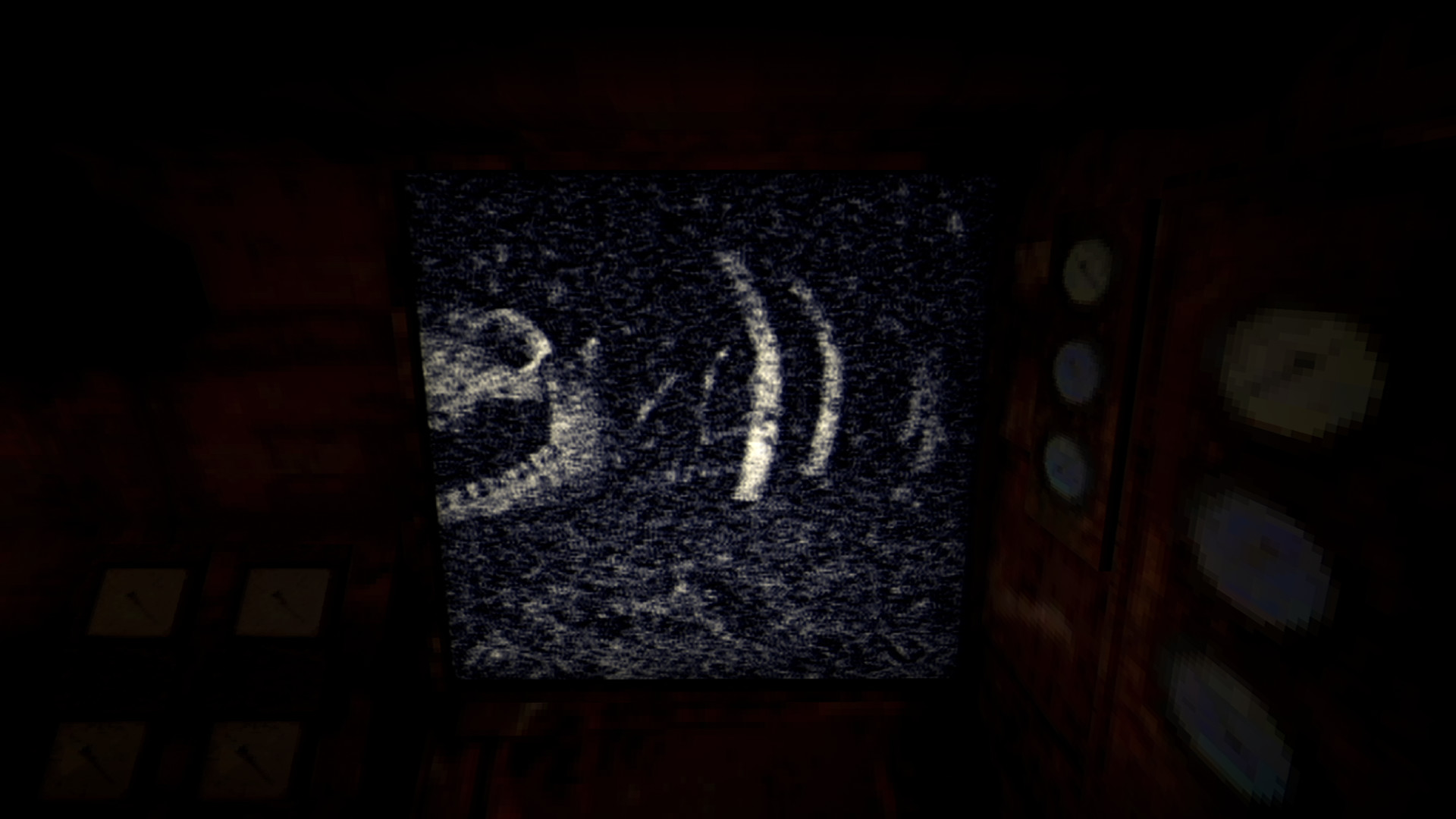
Iron Lung strips everything away except you, a tiny submarine, an ocean of blood and a camera that takes one grainy photo at a time. That last part is why FNAF players love it. Like checking the Prize Corner camera, you only ever see your surroundings in frozen, delayed glimpses, and your imagination fills in the rest. It’s short, cheap and deeply unsettling. It’s best for players who want dread over jump scares.
If you liked this
Five Nights at Freddy’s 3 (2015): the same office survival loop, built around a single relentless killer instead of a crowd.
Fears to Fathom: Home Alone (2021): short, grounded first-person horror with a slow-burn night-shift feeling.
Bendy and the Ink Machine (2017): mascot horror in a 1930s cartoon studio, good if you liked FNAF’s lore hunting.
If you want more than mascots, our roundup of “pc horror games” covers the best options at every scare level. FNAF 2 is also high on our list of “scary games to play on halloween,” mostly because it’s short enough to pass around the controller at a party, or the mouse in this case.
FAQ
Is Five Nights at Freddy’s 2 free on PC?
No. The official PC version costs money on Steam, typically $7.99 in the US before sales. Sites offering it “free” in your browser are unofficial copies. The free official games in the series on Steam are Freddy Fazbear’s Pizzeria Simulator and Ultimate Custom Night.
Is FNAF 2 on Steam the full game?
Yes. The Steam version includes all six nights, the Custom Night, the minigames and the star system. It’s the same game Scott Cawthon released in 2014.
Can I play FNAF 2 on a Mac?
Not natively. Steam has no macOS build. You can run the Windows version in a virtual machine like Parallels or through CrossOver. If you have an Android-capable Chromebook or a phone, the official mobile version is the simpler option.
Does FNAF 2 run on Windows 10 and 11?
Yes. The store page only lists Windows XP through 8 because those were current at launch, but the game runs on modern Windows without any special setup.
Is FNAF 2 harder than FNAF 1?
Most players find it harder. There are no doors, more animatronics, a music box to manage and two threats the mask can’t stop. FNAF 1 is more about rationing power. FNAF 2 is about juggling several tasks without making a mistake.
Is FNAF 2 too scary for kids?
There’s no gore, but jump scares are constant, and the minigames hint at dark themes about murdered children. Many younger fans love the series. If a kid has a hard time with sudden loud scares, start them on Poppy Playtime or watch a night together first. If you’re after something gentler for the whole family, our “horror games” list includes lighter picks.